What Is an IPTV EPG Guide?
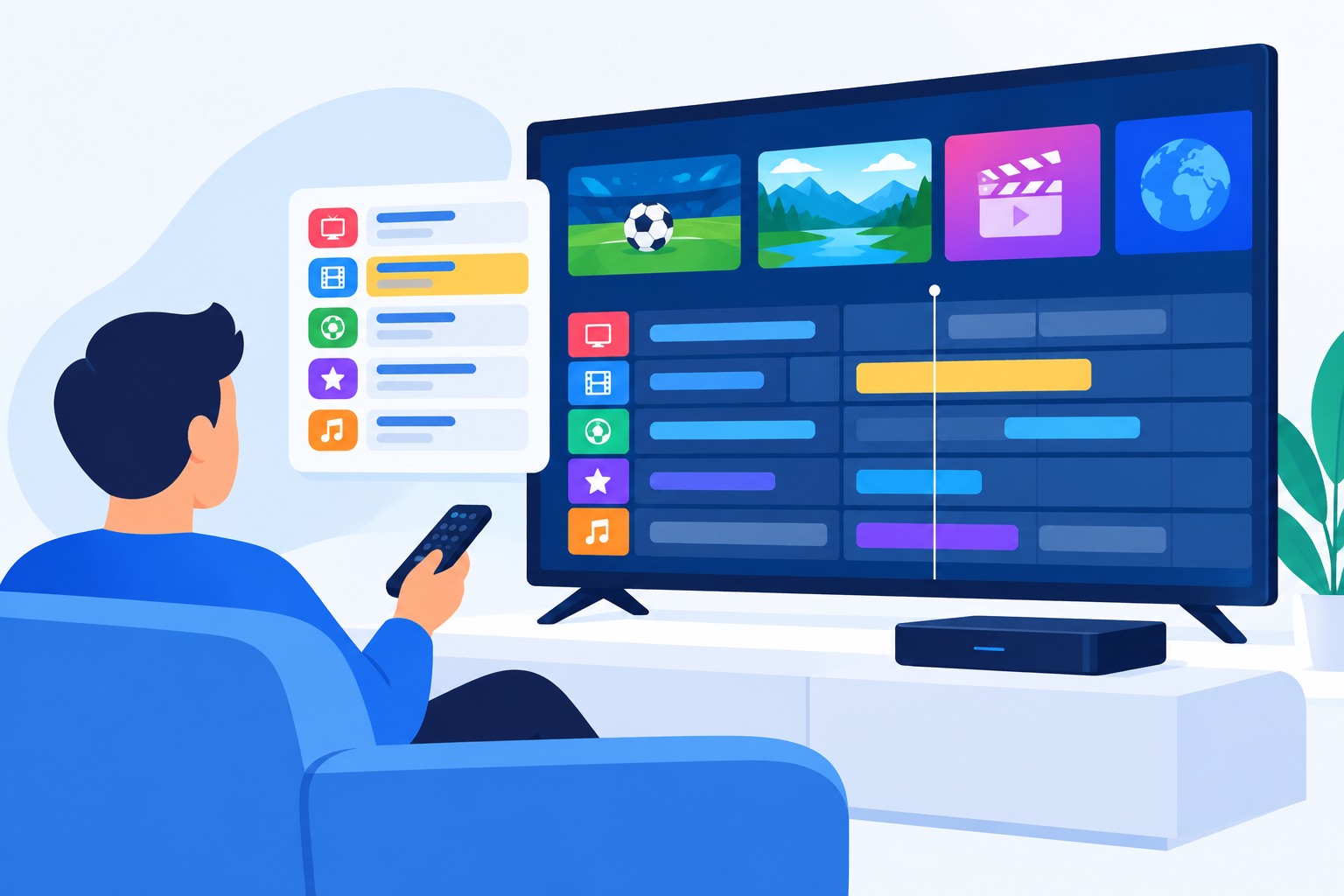
An IPTV EPG guide is an electronic program guide that organizes live television channels, show times, program details, and upcoming broadcasts in a schedule-based interface. Instead of browsing channels blindly, viewers in the USA can use an EPG to see what is playing now, what comes next, and what aired earlier.
EPG information is usually displayed inside an IPTV app, smart TV application, streaming box, or media player. Depending on the service and device, it may also support program reminders, catch-up viewing, recording, search, and filtering by category.
How an IPTV EPG Guide Works
An EPG receives schedule data from an IPTV provider or a separate XMLTV source. The app matches that data to the provider’s channel list and displays it as a grid or list.
A typical guide includes:
- Channel names and channel numbers
- Current and upcoming program titles
- Start and end times
- Program descriptions
- Genre, rating, or episode information
- Progress indicators showing how much of a program has aired
The accuracy of the schedule depends on the quality and update frequency of the source. Some services refresh listings several times a day, while others may show incomplete or outdated information.
Why Use an IPTV EPG Guide?
Without a guide, IPTV can feel like a long, unorganized channel list. An EPG makes live streaming easier to navigate and helps you find content without switching through every channel.
- Plan viewing: Check upcoming programs before they begin.
- Find live events: Locate news, sports, movies, and special broadcasts more quickly.
- Reduce channel surfing: Compare current programs in one view.
- Identify programs: Read titles and descriptions instead of relying on channel names.
- Support reminders and recording: Use available app features to avoid missing a program.
For households with multiple viewers, a well-organized guide can also make it easier to find suitable programming without searching through the entire channel lineup.
How to Set Up an IPTV EPG Guide
1. Confirm EPG support
First, check whether your IPTV provider includes guide data. Some subscriptions provide an EPG automatically, while others require you to enter an EPG URL or import an XMLTV file into a compatible application.
2. Use a compatible app or device
EPG support varies by platform. Confirm that your chosen app works with your device, such as an Android TV box, Amazon Fire TV device, smart TV, phone, tablet, or computer.
3. Add your playlist
Enter the playlist details supplied by your legitimate IPTV provider. Depending on the app, this may involve an M3U playlist, Xtream API login, or another supported format.
4. Add the guide source
If the provider gives you separate guide data, enter the supplied EPG address in the app’s guide, playlist, or program settings. Follow the provider’s instructions exactly, including any required username, password, or channel mapping information.
5. Match channels with listings
Some apps match channels automatically. If listings do not appear, open the channel editor and assign the correct guide entry to each channel. Matching is often based on a channel ID, name, or station identifier.
6. Refresh the data
Save the settings and refresh the guide. The first update may take a few minutes, especially if the playlist contains many channels. Close and reopen the app if the schedule does not appear immediately.
Choosing the Right IPTV EPG Guide Setup
The best setup depends on how you watch television and how much control you want over the channel list. Before choosing an app or provider, consider the following factors:
- Compatibility: Make sure it works with your TV, streaming device, or operating system.
- Guide coverage: Check whether it supports the channels you watch, including local USA stations where available.
- Update frequency: More frequent updates can help keep schedules accurate.
- Time zone handling: The guide should display programs in your local time zone.
- Search and filtering: These features are useful for large channel lists.
- Recording support: If you record programs, verify that the app supports timers or DVR functions.
- Privacy and security: Use reputable services and avoid sharing login details unnecessarily.
For a simple setup, automatic guide data from your provider is usually the easiest option. Advanced users may prefer an app that supports custom channel organization, manual mapping, multiple playlists, and separate guide sources.
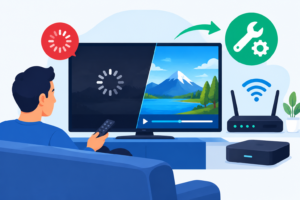
Common IPTV EPG Guide Problems and Fixes
The guide is empty
Check that the EPG source is entered correctly and that the playlist is linked to the guide data. Refresh the source, restart the app, and confirm that your subscription has not expired.
Only some channels have listings
This usually means the channel identifiers do not match the guide source. Open the playlist settings and manually map missing channels to the correct EPG entries. Removing duplicate or unused channels may also improve matching.
The schedule shows the wrong time
Review the time zone settings on both the device and the IPTV app. Disable incorrect manual offsets and enable automatic time zone detection when available. Daylight saving changes can also cause temporary differences if the app has outdated settings.
Program information is outdated
Refresh the EPG data and check whether the provider’s listings are current. If the guide remains outdated, contact the provider or use a supported alternative source rather than repeatedly reinstalling the app.
The app is slow or freezes
Large channel lists and frequent guide refreshes can use additional memory. Remove channels you do not watch, clear the app cache, update the application, and restart the device. A wired network connection or stronger Wi-Fi signal may also improve general IPTV performance.
Tips for a Better IPTV EPG Experience
A reliable IPTV EPG guide is easier to use when the playlist is organized before you begin watching.
- Remove duplicate, inactive, or unwanted channels.
- Create favorites for frequently watched stations.
- Group channels by news, sports, movies, entertainment, and local programming.
- Set the correct time zone before troubleshooting listings.
- Refresh guide data at a reasonable interval instead of constantly reloading it.
- Keep the app and streaming device updated.
- Use a stable internet connection, particularly for live sports and high-definition channels.
It is also wise to keep your provider login private and avoid installing unknown applications that request unnecessary permissions. Choose services that have the rights to distribute the channels and programs they offer.
IPTV EPG Guide Features to Look For
Not every guide offers the same tools. If you are comparing apps, focus on the features that match your viewing habits.
- Grid view: Displays several channels and time periods at once.
- Now-and-next view: Shows the current program and the next scheduled item.
- Program search: Helps locate a title across the channel list.
- Favorites: Keeps preferred channels in a separate section.
- Reminders: Alerts you before a selected program starts.
- Catch-up integration: Provides access to previously aired content when supported.
- DVR compatibility: Allows scheduled recordings on supported devices.
- Parental controls: Helps restrict access to selected channels or categories.
Before relying on recording or catch-up features, verify that both your provider and your application support them. An EPG can display a schedule without offering access to every listed program.
Is an IPTV EPG Guide Legal and Safe to Use?
The guide itself is simply scheduling information. Its legality and safety depend on the IPTV service, application, and content source connected to it. Use providers that are authorized to distribute the channels and programs they make available.
Be cautious with services that promise every premium channel for an unusually low price, require unsafe downloads, or request payment through suspicious methods. Use strong account passwords, keep your streaming device updated, and avoid sharing credentials on public forums.
Frequently Asked Questions About IPTV EPG Guides
What does EPG mean in IPTV?
EPG means electronic program guide. In IPTV, it is the schedule that shows channel listings, program times, titles, and descriptions.
Why is my IPTV EPG guide not showing programs?
The guide source may be missing, expired, incorrectly entered, or mismatched with the playlist. Check the source settings, confirm the time zone, map channels correctly, and refresh the data.
Can I use an IPTV EPG guide on a smart TV?
Yes, if the smart TV app supports IPTV playlists and EPG data. Support varies by television brand, operating system, and application, so check the app’s compatibility before setting it up.
How often should I refresh IPTV guide data?
Refresh it whenever listings become outdated or after changing your playlist. Automatic updates are convenient, but the ideal interval depends on the provider and app.
Conclusion
An IPTV EPG guide turns a basic channel list into a searchable television schedule. With the right app, compatible guide source, accurate time zone, and properly matched channels, you can find live programs faster and plan your viewing more easily.
Start by confirming that your provider supplies current listings, then organize your channels and test the guide on your preferred USA streaming device. If problems occur, check the source, channel mapping, time zone, and app settings before replacing the entire setup.